Data Analysis Using Excel, Power BI & Microsoft Copilot AI

Delivery Type

Classroom / Practical

Course Dates

September 5, 2026

Overview:

This Data Analysis Using Excel, Power BI & Microsoft Copilot AI program provides a comprehensive learning experience that equips professionals with the knowledge and practical skills to analyze, transform, and visualize business data using Microsoft Excel, Power BI, and Microsoft Copilot AI. Through hands-on exercises, real-world business case studies, and a capstone project, participants will learn how to prepare high-quality data, build analytical models, create interactive dashboards, and generate actionable insights that support data-driven decision-making across business functions.

The program also introduces advanced analytics techniques, including Power Query, DAX, data modeling, AI-powered analytics, and executive reporting. Participants will learn how to publish and manage Power BI solutions, leverage Microsoft Copilot AI to improve productivity, and apply data storytelling, performance analysis, and business intelligence best practices to solve business challenges and support organizational objectives.
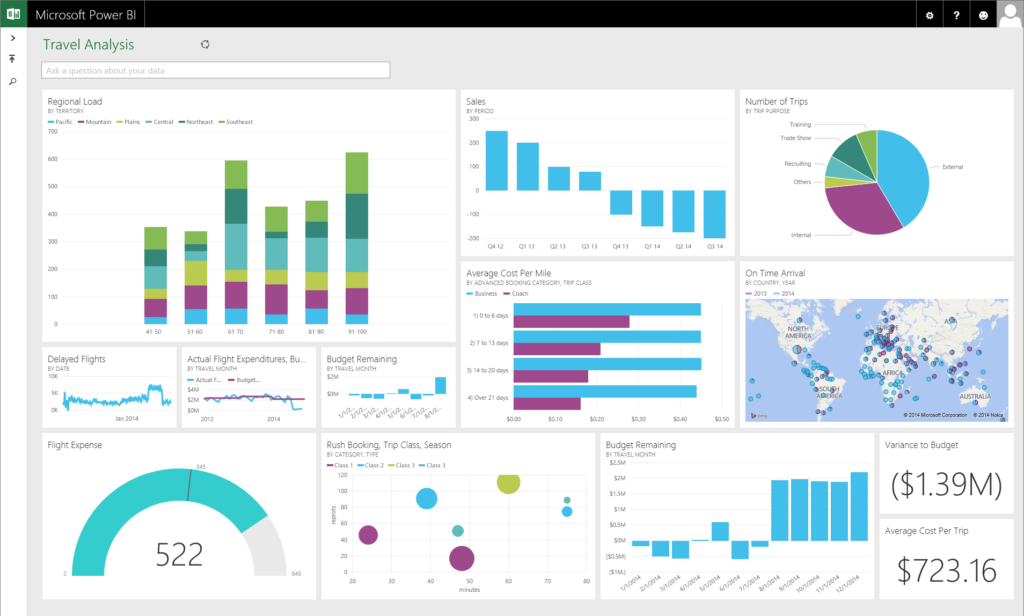
Data Analysis Using Excel, Power BI & Microsoft Copilot AI

Targeted Competencies:

  • Business Communication
  • Performance Reporting
  • Data Storytelling
  • Data Visualization
  • Data-Driven Decision Making
  • AI-Assisted Productivity

Organizational Impact:

Faster Decision-Making: Teams gain the ability to turn raw data into actionable insights, accelerating strategic and operational decisions.

Enhanced Business Intelligence: Staff can independently analyze trends, identify patterns, and uncover performance drivers without relying solely on IT.

Increased Productivity: Automated data updates and dashboarding reduce manual reporting efforts, freeing up time for high-value analysis.

Better Forecasting: Historical and real-time data analysis supports more accurate projections and resource planning.
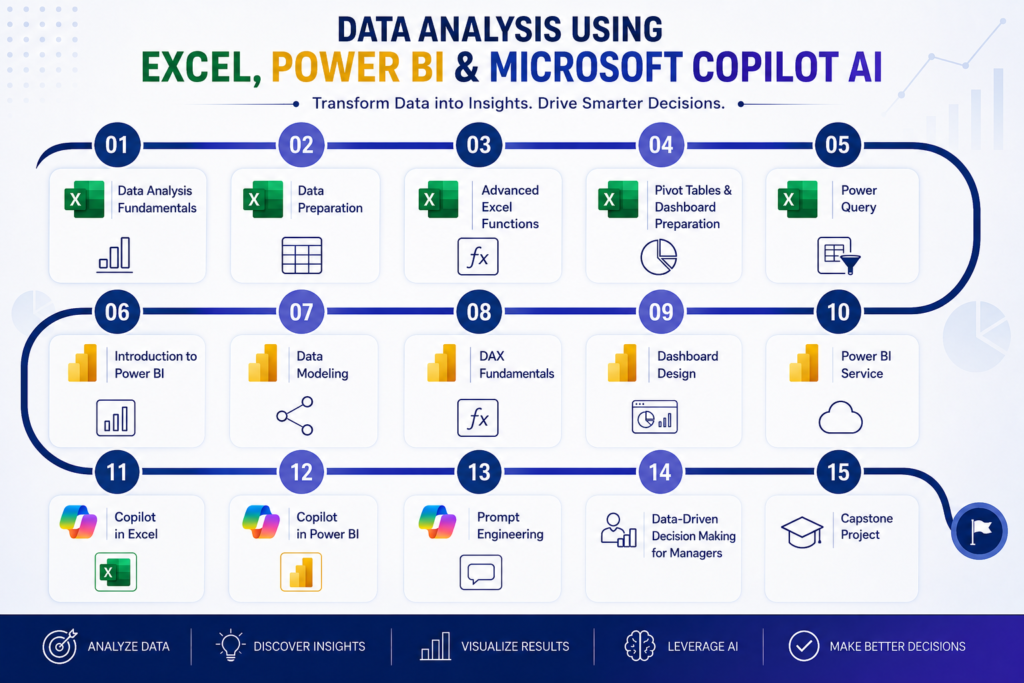
Learning Objectives:

By the end of this program, participants will be able to:

  • Explain the principles of data analysis and data-driven decision-making.
  • Prepare, clean, and transform business data using Microsoft Excel and Power Query.
  • Apply advanced Excel functions, PivotTables, and PivotCharts to analyze business data.
  • Design optimized data models and create analytical calculations using DAX in Power BI.
  • Develop interactive reports & dashboards that effectively communicate insights.
  • Publish, manage, and secure Power BI reports, datasets, and workspaces.
  • Utilize Microsoft Copilot AI to automate data analysis, reporting, and insight generation.
  • Analyze business performance using KPIs, trend analysis, and AI-powered analytics.
  • Evaluate analytical findings to identify trends, risks, opportunities, and business improvement initiatives.
  • Create an end-to-end business intelligence solution that supports informed, data-driven decision-making through a real-world capstone project.
Data Analysis Using Excel, Power BI & Microsoft Copilot AI

Workshop Outline:

Module 1: Data Analysis Fundamentals

  • Introduction to Data Analytics
  • Data-Driven Decision Making
  • Types of Business Data
  • Data Analysis Process
  • Business KPIs
  • Understanding Data Quality
  • Introduction to AI in Data Analytics

Module 2: Excel for Advanced Data Analysis – Data Preparation

  • Importing data from different sources
  • Excel Tables
  • Data Validation
  • Text to Columns
  • Flash Fill
  • Remove Duplicates
  • Conditional Formatting
  • Data Cleaning Best Practices

Module 3: Excel for Advanced Data Analysis – Advanced Functions 

  • XLOOKUP
  • XMATCH
  • INDEX & MATCH
  • SUMIFS
  • COUNTIFS
  • IFS
  • IFERROR
  • FILTER
  • SORT
  • UNIQUE
  • Dynamic Arrays
  • LET Function

Module 4: Pivot Tables & Dashboard Preparation 

  • Pivot Tables
  • Pivot Charts
  • Slicers
  • Timelines
  • Interactive Reports
  • KPI Cards
  • Dashboard Design Principles

Module 5: Excel for Advanced Data Analysis – Power Query

  • ETL Process
  • Import Data
  • Merge Queries
  • Append Queries
  • Data Transformation
  • Parameters
  • M Language Basics

Module 6: Introduction to Power BI

  • Power BI Architecture
  • Desktop
  • Service
  • Mobile
  • Data Sources
  • Publishing Workflow

Module 7: Power BI – Data Modeling

  • Star Schema
  • Relationships
  • Fact & Dimension Tables
  • Calendar Table
  • Data Model Optimization

Module 8: Power BI – DAX Fundamentals

  • Measures
  • Calculated Columns
  • CALCULATE
  • FILTER
  • SUMX
  • AVERAGEX
  • RELATED
  • Time Intelligence
  • Variables

Module 9: Power BI – Dashboard Design

  • Interactive Reports
  • Drill-through
  • Bookmarks
  • Tooltips
  • Navigation
  • KPI Visualization
  • Executive Dashboard Design
  • Best Practices

Module 10: Power BI Service

  • Publishing Reports
  • Scheduled Refresh
  • Gateways
  • Workspaces
  • Sharing Reports
  • Permissions
  • Microsoft Teams Integration

Module 11: Microsoft Copilot AI in Excel

  • Formula Generation
  • Data Summaries
  • AI Charts
  • Natural Language Analysis
  • Report Generation

Module 12: Microsoft Copilot AI Power BI

  • AI Report Summaries
  • Natural Language Queries
  • AI Visuals
  • Explain Insights
  • Conversational Analytics

Module 13: Prompt Engineering

  • Writing Effective Prompts
  • Prompt Frameworks
  • AI Limitations
  • Validation Techniques
  • Responsible AI

Module 14: Data-Driven Decision Making for Managers

  • Reading Executive Dashboards
  • KPI Interpretation
  • Trend Analysis
  • Root Cause Analysis
  • Risk Indicators
  • Decision-Making Frameworks
  • Storytelling with Data

Module 15: Capstone Graduation Project

  • Each participant develops a complete analytics solution using data from their own work environment.
Data Analysis Using Excel, Power BI & Microsoft Copilot AI

Who Should Attend?

This program will greatly benefit:

  • Managers and Unit Heads
  • Supervisors and Team Leaders
  • Project Managers and Coordinators
  • Sales and Marketing Professionals
  • Process Improvement Managers
  • Finance, Budget, and Planning Analysts
  • Engineers and IT Support Officers
  • Different functions including Engineering, Operations, IT, etc
Data Analysis Using Excel, Power BI & Microsoft Copilot AI

Training Methodology:

This practical training uses a variety of proven adult learning techniques, including:

Instructor-Led Sessions: Engaging sessions and discussions to introduce the desired concepts.
Case Studies: Real-world scenarios to analyze and apply financial concepts in practical settings.
Group Exercises: Collaborative activities that encourage teamwork and problem-solving.
Q&A Sessions: Opportunities for participants to clarify doubts and engage with instructors.
Assessments: Periodic evaluations to reinforce learning and track progress.
Capstone Graduation Project: Each participant will develop a complete end-to-end analytics solution using data from their own work environment, applying the knowledge and skills acquired throughout the program.

Delivery Type

Classroom / Practical

Course Dates

September 5, 2026
  • How can I register for a public training course?
    Via our website or by emailing [email protected]. A training expert will contact you to assist with the next steps.
  • Will I receive a certificate?
    Yes, participants who complete the course will receive a certificate of completion.
  • What’s the batch size for public courses?
    Typically up to 15 participants per batch (subject to change by course).
  • Do you offer installment payments?
    Yes, you can pay in up to three installments.
  • Do you offer course materials?
    Yes, we provide both hard and soft copies of the training materials.
  • What’s included in the training fee?
    Training Sessions, Materials, Certificate, and Daily tea/coffee breaks.
  • Is there a discount for group registrations?
    Discount schemes are available for multiple registrations.
  • Is this course theoretical or practical?
    The course is highly practical, with real-world examples, case studies, and interactive exercises.
  • Can this be customized for in-house training at my company?
    Yes, the course can be tailored to meet the specific needs, industry context, and strategic goals of your company.

Register Form

This field is for validation purposes and should be left unchanged.
Name(Required)
Email(Required)
Which Program you need?(Required)